
Introduction
Notifly is a SaaS for notifications, monitoring and feedback. A single HTTP request delivers a message from your server, script, CMS or AI agent straight to your phone, browser, email or Telegram. No workers, no queues, no backend of your own.
How it works
Section titled “How it works”Every notification travels the same path:
source channel receiver(server, script, CMS, ──▶ "My website", ──▶ device: Android app, monitor, AI agent) app token A… open dashboard tab, iOS app │ └─ not read in time? ──▶ escalation: email, SMS, phone call, Telegram, Slack and more- A source sends a message to a channel — with the channel’s app token or through Notifly’s built-in tools (monitors, heartbeats, webhooks, email).
- The channel keeps the message feed and pushes every new message to all your devices — and to the people you shared the channel with.
- If nobody reads a message, delivery & escalation forwards it to external services.
Your first notification in five steps
Section titled “Your first notification in five steps”-
Account. Sign up in the dashboard and confirm your e-mail via the link in the message.
-
Channel and app token. On first login the first-run wizard opens: click Create first channel — it shows the channel’s app token and a ready-made command with it. Later you can always find the token in the Channels section.
-
Receiver. Connect a device so the notification has somewhere to go:
- install the Android app and sign in with the same e-mail and password — notifications arrive even when the app is closed;
- or keep a dashboard tab open and click Allow notifications in the side menu — the browser shows a notification while the tab is open.
-
Test message. Insert the app token and run:
Окно терминала curl -X POST "https://api.notifly.ru/message" \-H "X-Notifly-Key: <APP_TOKEN>" \-H "Content-Type: application/json" \-d '{"title": "Hello", "message": "First message from Notifly", "priority": 5}' -
Check. The response is a JSON object with the message
id; the message appears in the dashboard feed, and the device from step 3 shows a system notification. Got the response but no notification? See Notifications not arriving.
For a walkthrough of each step see First login; for every send parameter see Sending messages.
Core concepts
Section titled “Core concepts”- Channel — a message source (backend service, script, bot) with its own app token (prefix
A). An app token can only send to its own channel. - Message — text, title, a priority from 0 to 10, a date and optional extra fields (
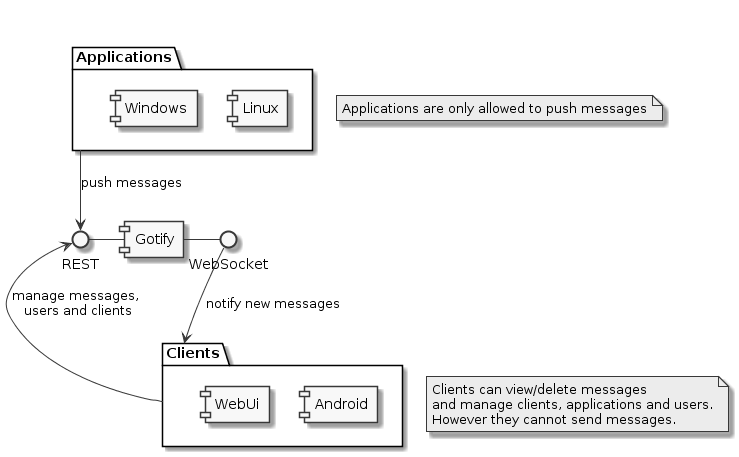
extras). - Device — the web admin, Android or iOS app where you are signed in. It receives messages and manages channels, but does not post to channels itself.
The API and MCP tools use older names for historical reasons: a channel is an
application there and a device is a client (the paths are compatible with
the Gotify protocol). They are the same things.
Each user sees and manages only their own channels, devices and messages — plus channels shared with them. More in Channels & devices.
Which token is for what
Section titled “Which token is for what”Tokens differ by their first letter:
| Prefix | Token | What it is for |
|---|---|---|
A | channel app token | Send messages and questions to one channel. This is the one you put into scripts, CMSs and curl |
S | channel access token | Same as A, but for someone a channel was shared with; sending needs the send right |
M | API token | Manage the account from code: SDKs, CLI, MCP server. Read or read+write access, scoped by channel |
C | device token | The session of an app or browser. Issued at sign-in; not needed for integrations |
H | heartbeat ping token | Only in the ping URL /heartbeat/ping/{token} |
R | webhook router token | Only in the URL /router/{token}/… |
T | website script token | Only in the script’s event ingest URL |
A newcomer only needs the A app token. The full description is in the
Authentication section of the API docs.
Where to go next
Section titled “Where to go next”- Sending messages — title, priority, markdown, links and images.
- Questions in channels (Ask) — ask a human and get the answer back: buttons, text, forms.
- Delivery & escalation — forward unread messages to email, SMS, a call, Slack, Telegram, Discord, Teams, Mattermost, PagerDuty and Opsgenie.
- Quiet hours and maintenance windows — no wake-ups at night and no noise during planned work.
- Active monitors and Heartbeat — watch services and tasks, and learn about outages and silence.
- Status pages — a public uptime page for your users.
- Webhook router and Email Inbox — receive events from GitHub, Grafana, 1C-Bitrix or plain email.
- Alertmanager, Grafana & Zabbix — native monitoring alert receivers with priority from severity.
- Go & Python SDKs — the same capabilities from code, typed and with parsed errors.
- MCP server — give your AI agent a channel to the real world.
- Account security — two-factor authentication, devices and password.
- Use cases — ready-made recipes for sysadmins, developers, websites and personal tasks.